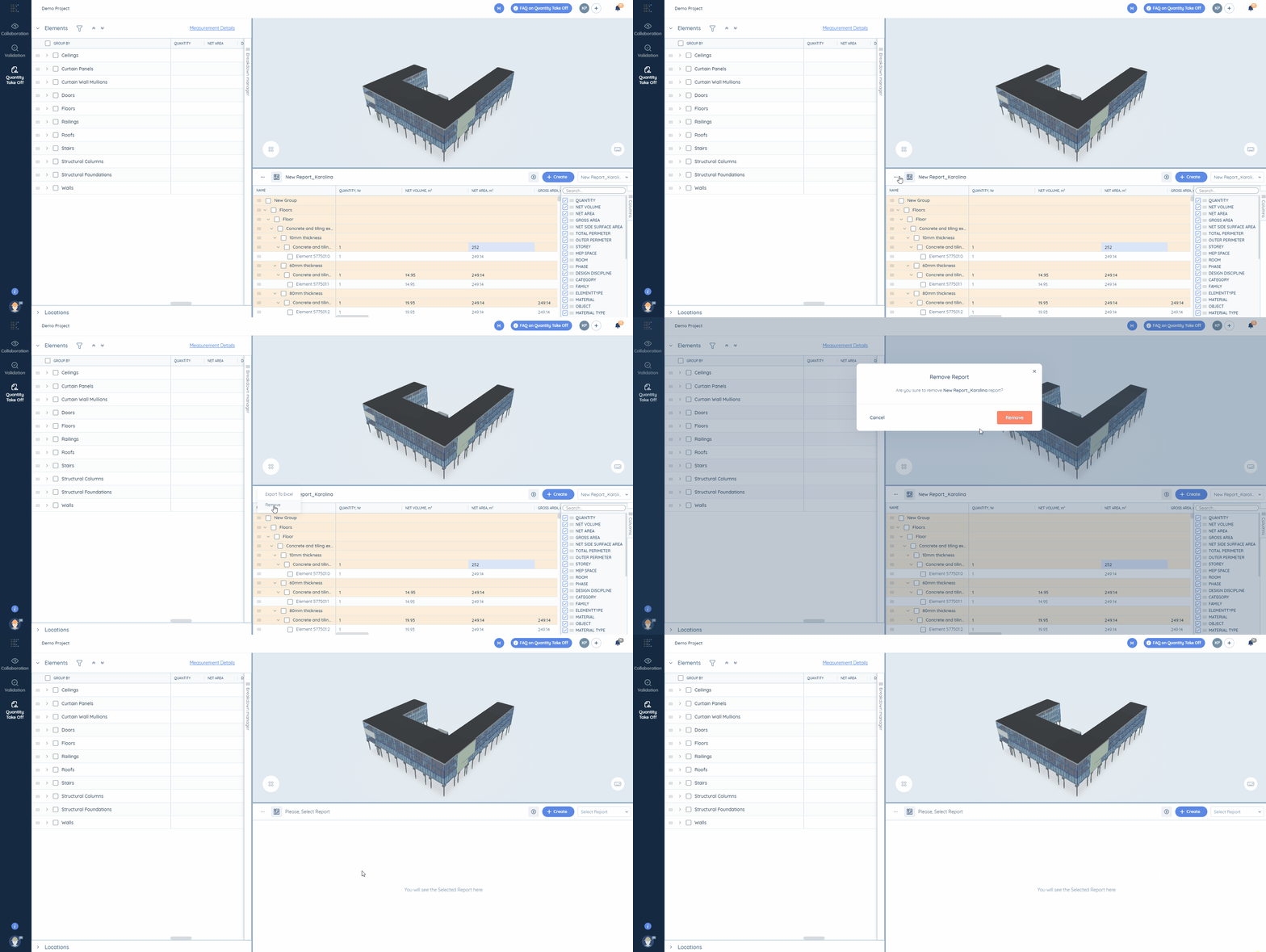
All collections›BIM Takeoff›Report TableHow to remove a current reportCopy pageCopy page as MarkdownFor pasting into ChatGPT, Claude or your editorView as MarkdownPlain text of this article (.md)Open in ChatGPTAsk questions about this pageOpen in ClaudeAsk questions about this pageOpen in PerplexityAsk questions about this pageAdd to CursorConnect this help center as an MCP serverRemove your report fast in Kreo BIM TakeoffClick on the three dots button near the title of the report and select the option "Remove" there.Did this answer your question?← PreviousFormulae in Kreo BIM TakeoffNext →How to check for the unused/duplicate elements in the selected report?Written by Andrew MarkevichUpdated July 17, 2026