

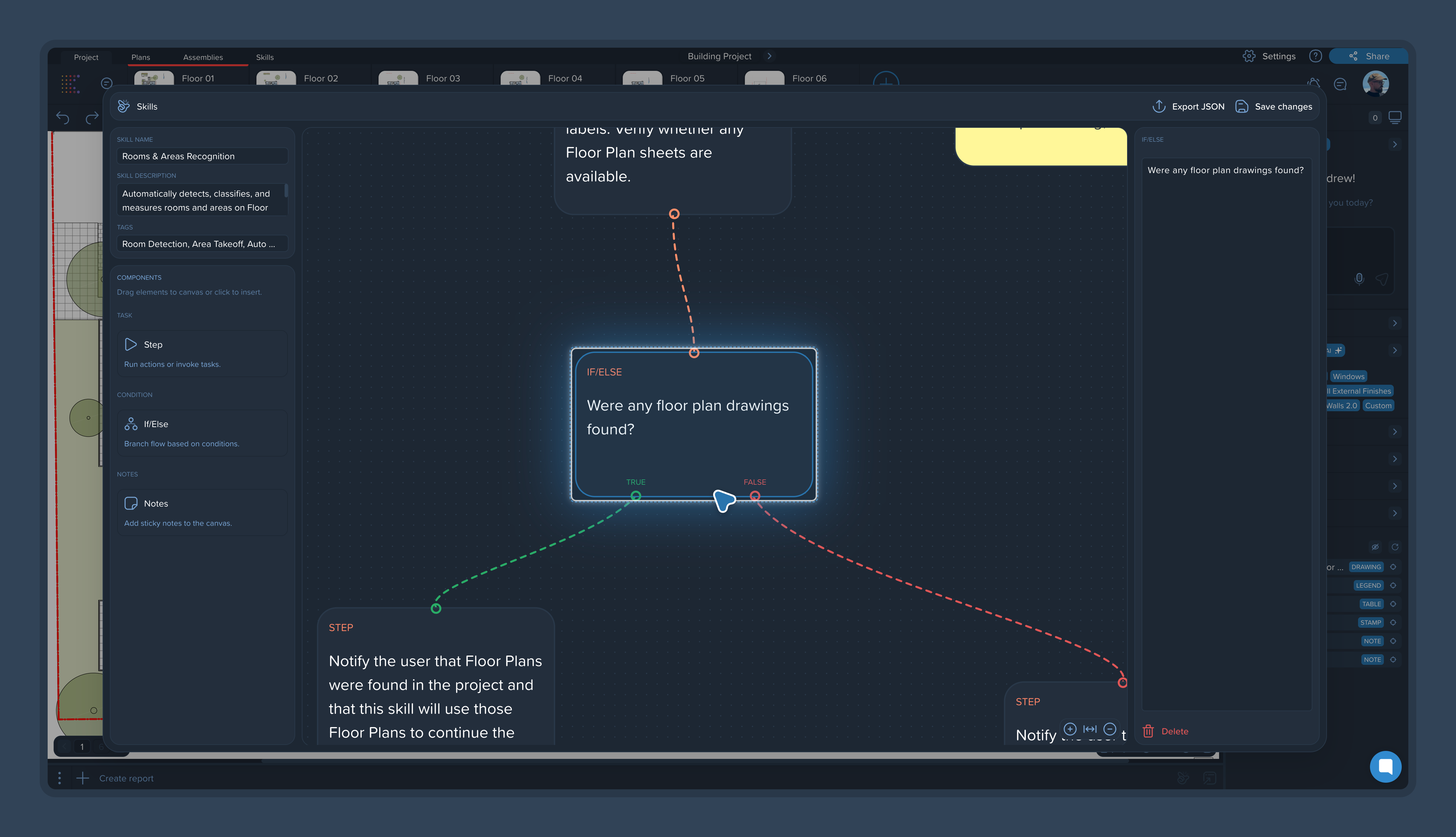
A skill workflow doesn't have to be linear. If/Else adds conditional branching: the agent completes a step, checks the result, and takes a different path depending on the outcome. This is the main quality-control mechanism inside skills.
Why it matters
Without control points, an error made early in a workflow rides all the way to the final report — and nobody catches it along the way. If/Else stops that: the error gets caught at its own step and fixed right there.
How it works
A typical pattern:
The agent completes a step — for example, measurements are calculated.
The If/Else condition asks the agent to check: did it do this correctly?
If correct — the workflow continues to the next step.
If not — the step is sent back for a redo.
[IMAGE: Diagram of an If/Else flow — step, check, continue or redo]
Where to place If/Else
You don't need a check after every step. Place If/Else:
Before the step where a mistake would cost the most — at minimum. For example, before results feed into a report.
After steps with unstable output — if a step sometimes produces a result that drifts, add a check right after it.
At handoff points — where the output of one part of the workflow becomes the input of the next.
Tips
Make the check condition as specific as the steps themselves: "check that every measurement has been assigned a group" works better than "check that everything is fine."
If a step keeps failing its check, the problem is usually the step's wording, not the check. See Writing Effective Skill Instructions: Best Practices.