

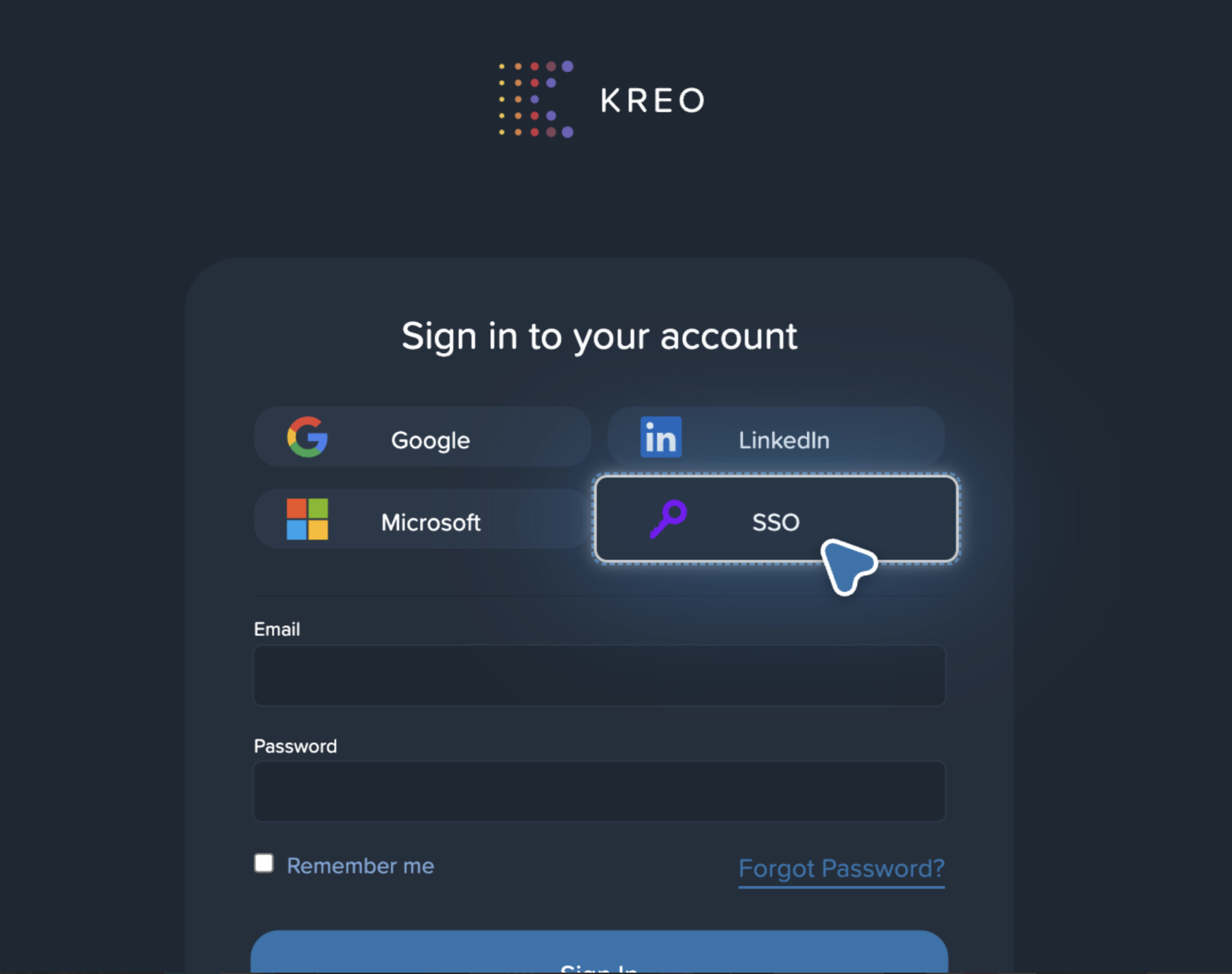
On the login page, https://takeoff.kreo.net/, select SSO:
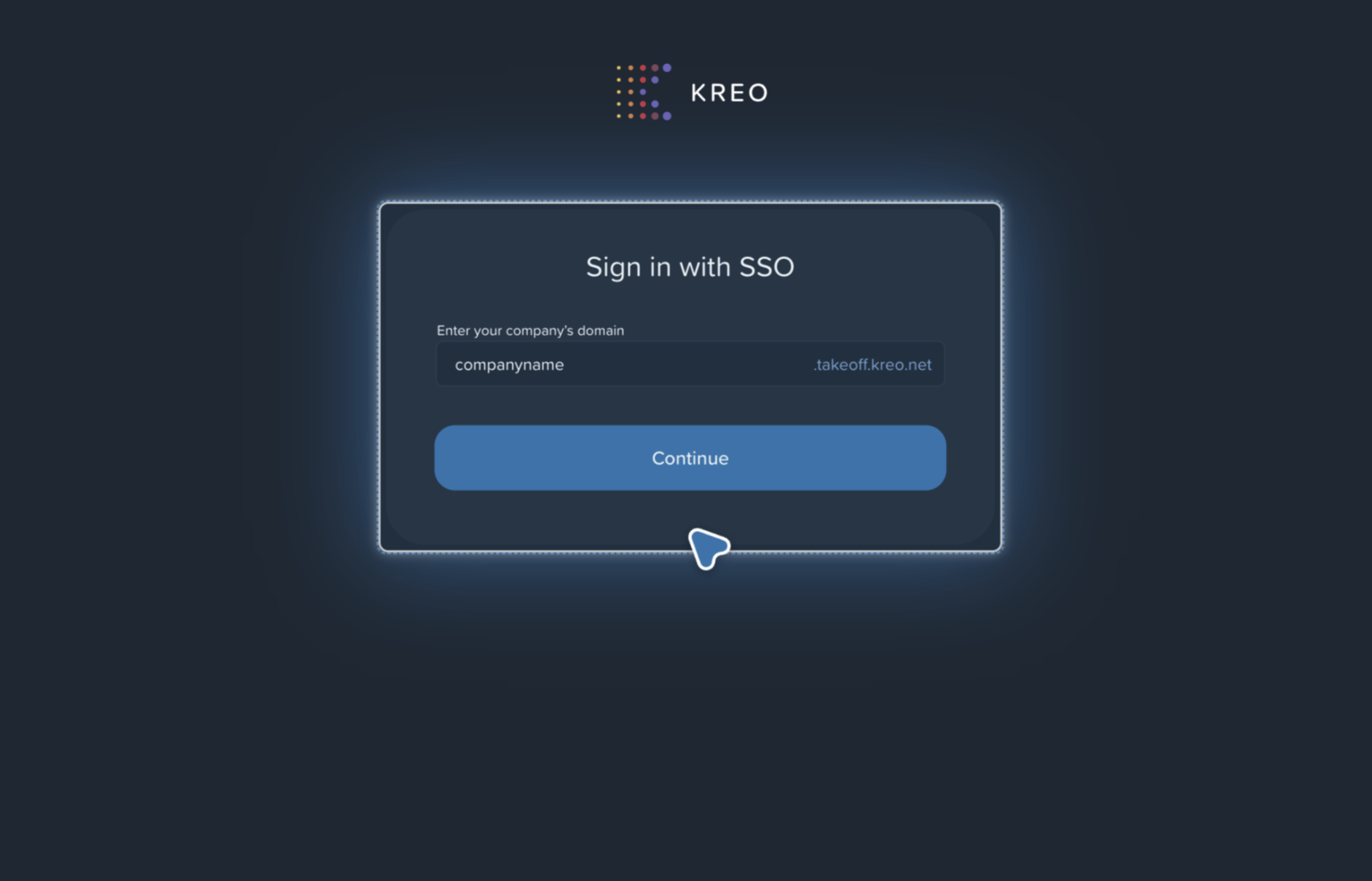
Enter your company’s domain (example: companyname), then click Continue:
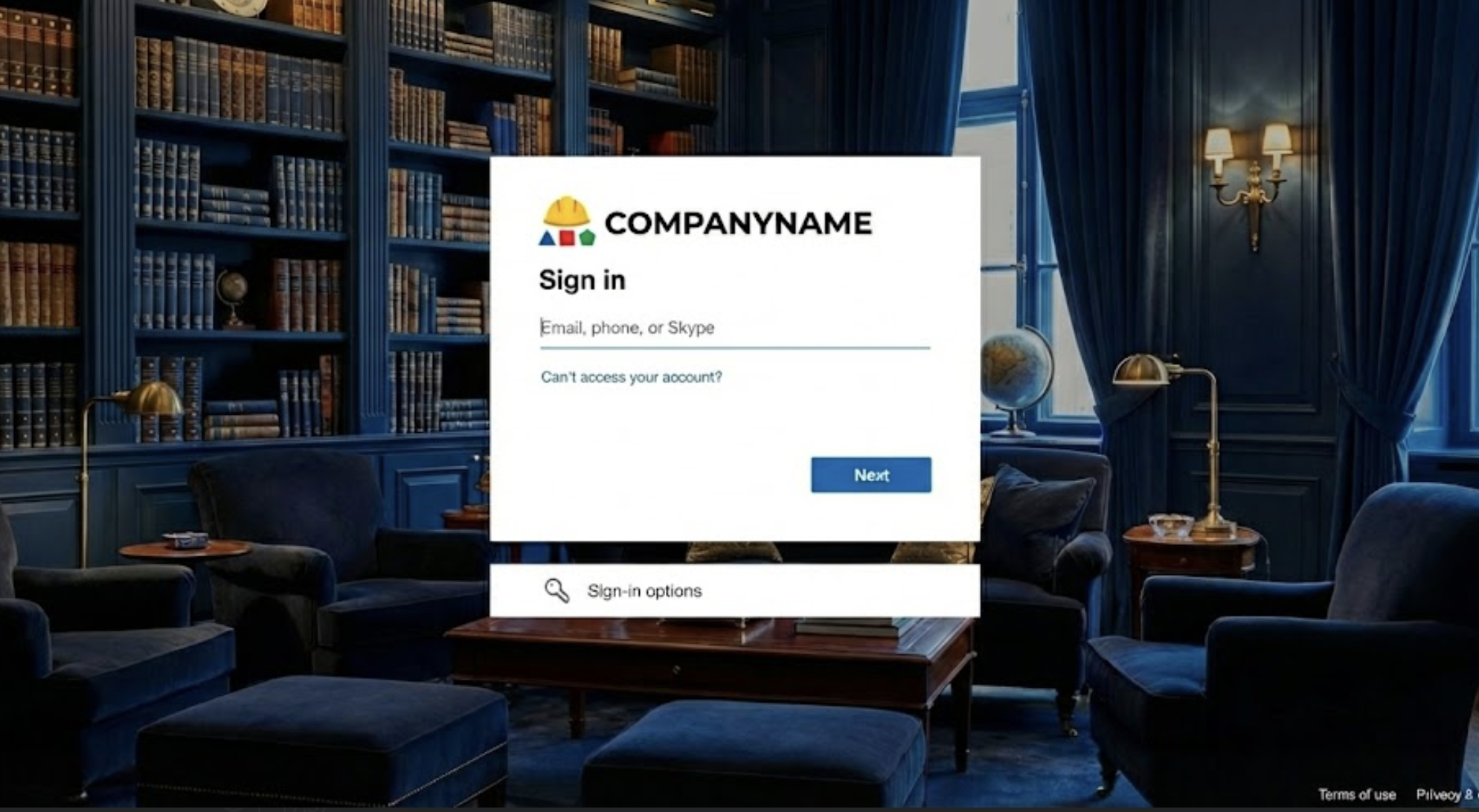
You’ll be redirected to your company sign-in page. Sign in with your work credentials.
If prompted, review permissions and select Accept.
Complete the registration form, to complete registration.
Troubleshooting
SSO option missing → SSO isn’t enabled for your workspace/org.
“Domain not found” → check spelling or use your company’s main domain.
Access blocked / not authorized → ask IT to assign you access to the app.
Linking fails due to email mismatch → ensure your account email matches your corporate SSO email.
Stuck in a login loop → try private window or clear cookies.