

company logo

Help center

Go to Kreo Software
WebsiteYoutube
All collectionsBIM TakeoffReport TableHow to check for the unused/duplicate elements in the selected report?

How to check for the unused/duplicate elements in the selected report?

Reports filters in Kreo BIM Takeoff to help to check for unused and duplicate elements

Andrew Markevich·July 17, 2026

Use the Report Filters to check for the unused and duplicate elements in the selected report.

Go to the top of the Breakdown Table and click on the Filter button there:
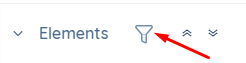
filter-button

Then find the Report Filter and select unused and/or duplicate elements.
The filters work based on the data from the Report Table.
📝Note! You can always use the filter, even if there are no matching elements.
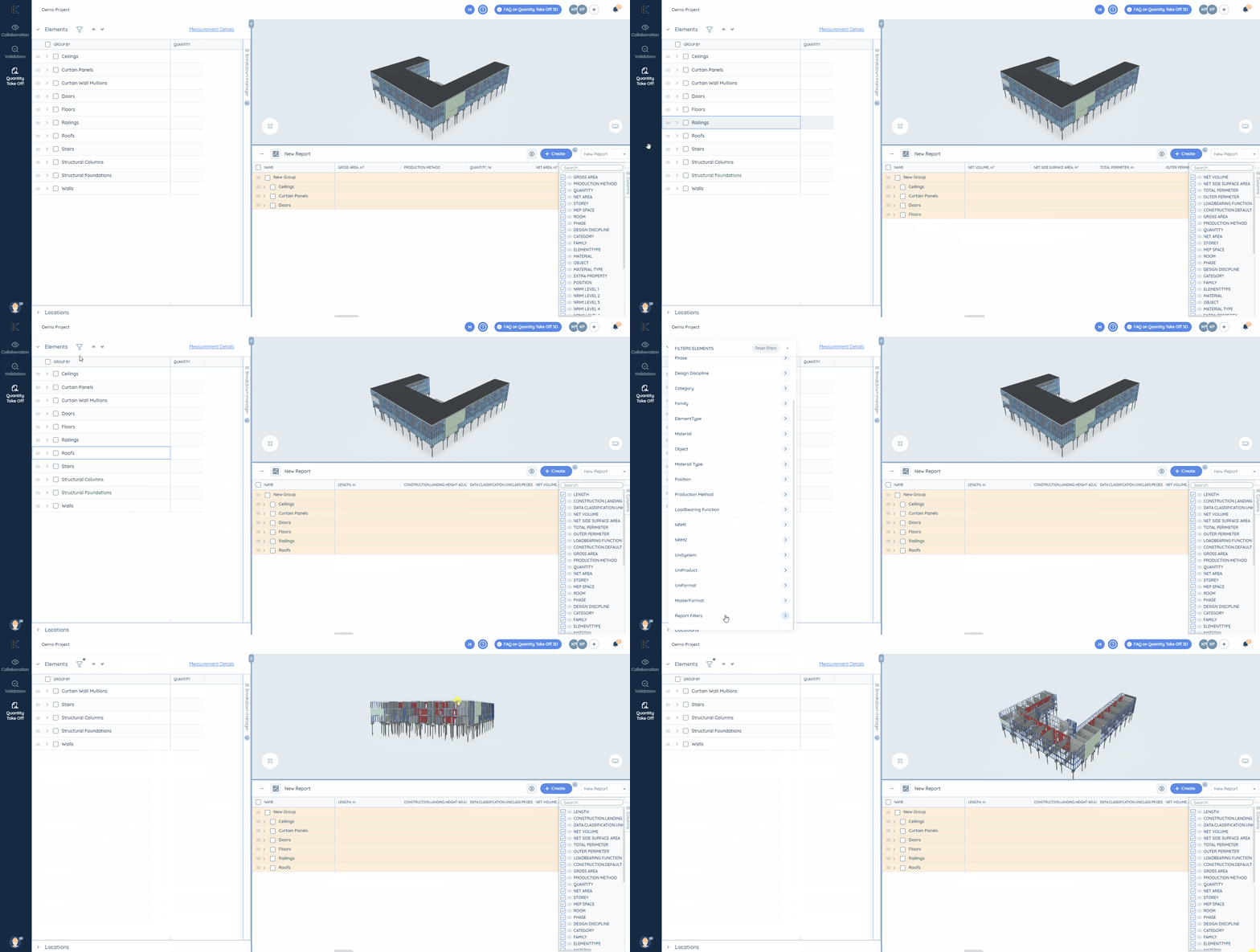
unused-elements
Did this answer your question?
😞
😐
😁