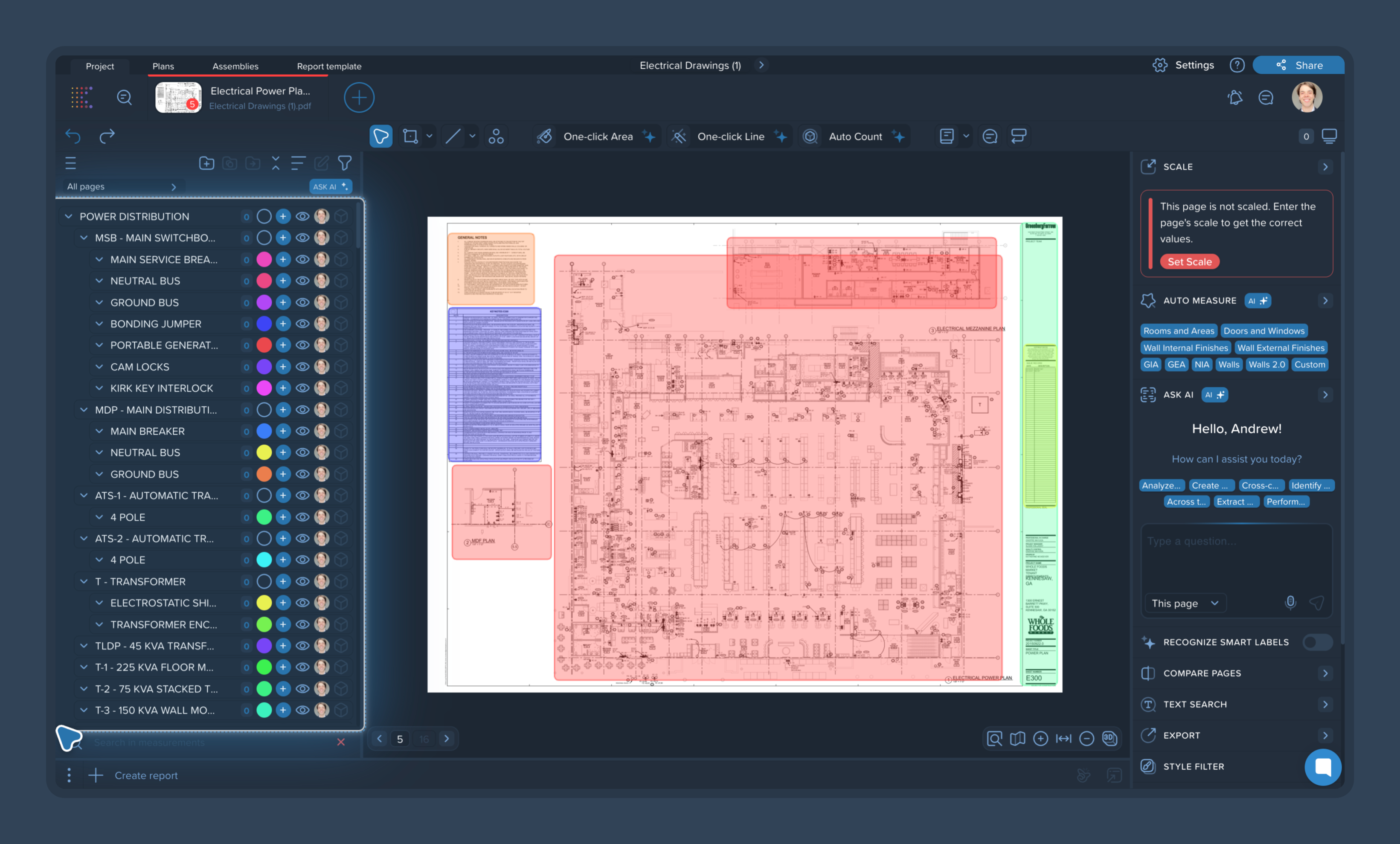
The AI Scope Builder is a powerful AI-powered tool designed to automate the initial setup of your takeoff. Instead of manually creating measurement groups for every item, you can use this feature to let the AI analyze the drawing, read the legends, and automatically generate a comprehensive breakdown of all the items, materials, and elements present on the sheet.
1. Launch the AI Scope Builder
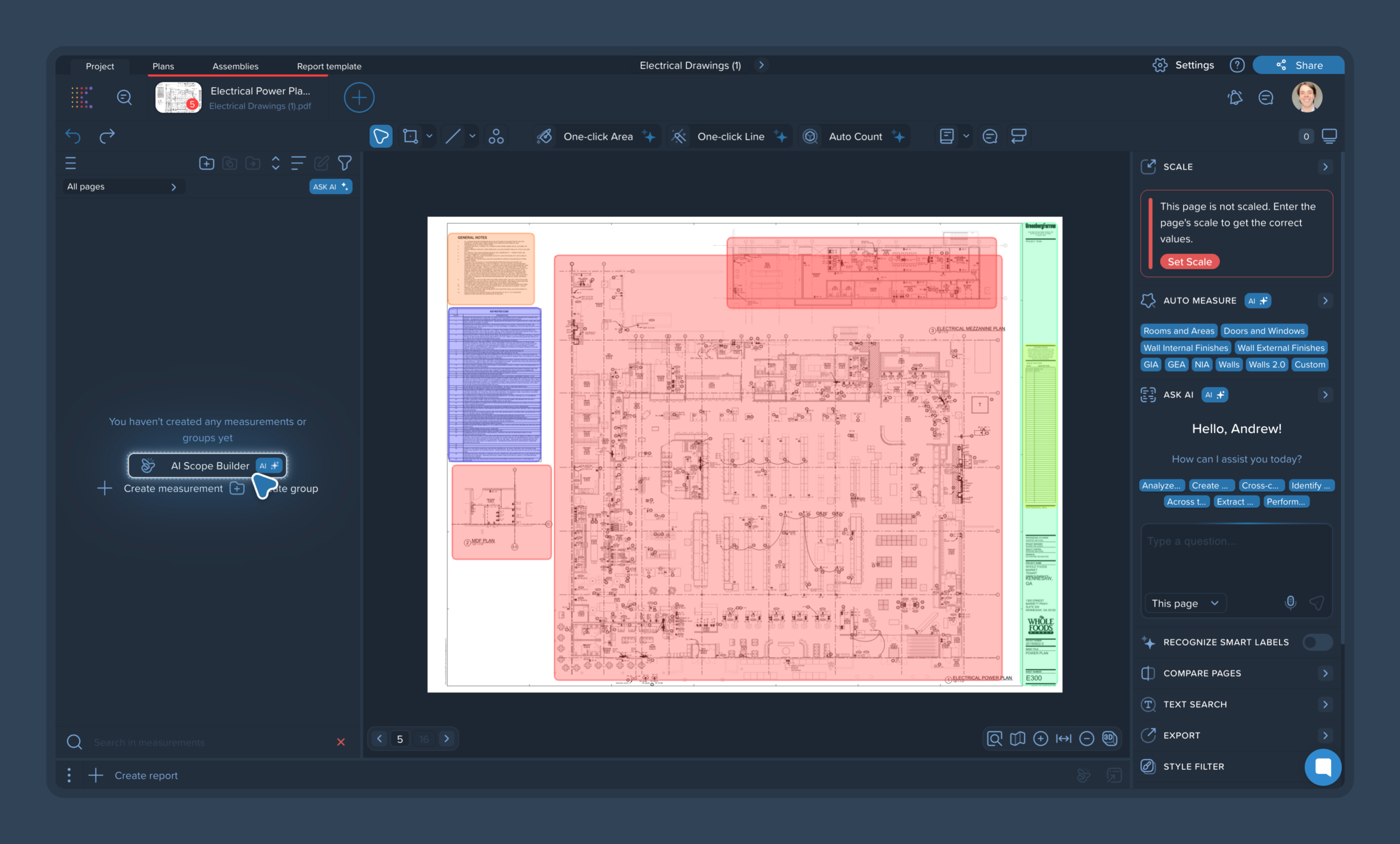
Open a drawing and navigate to the left-side panel.
Under the "You haven't created any measurements or groups yet" message, click the AI Scope Builder button.
The AI will begin processing the request, analyzing the content of the current drawing and its legends.
2. Review the Automatic Breakdown
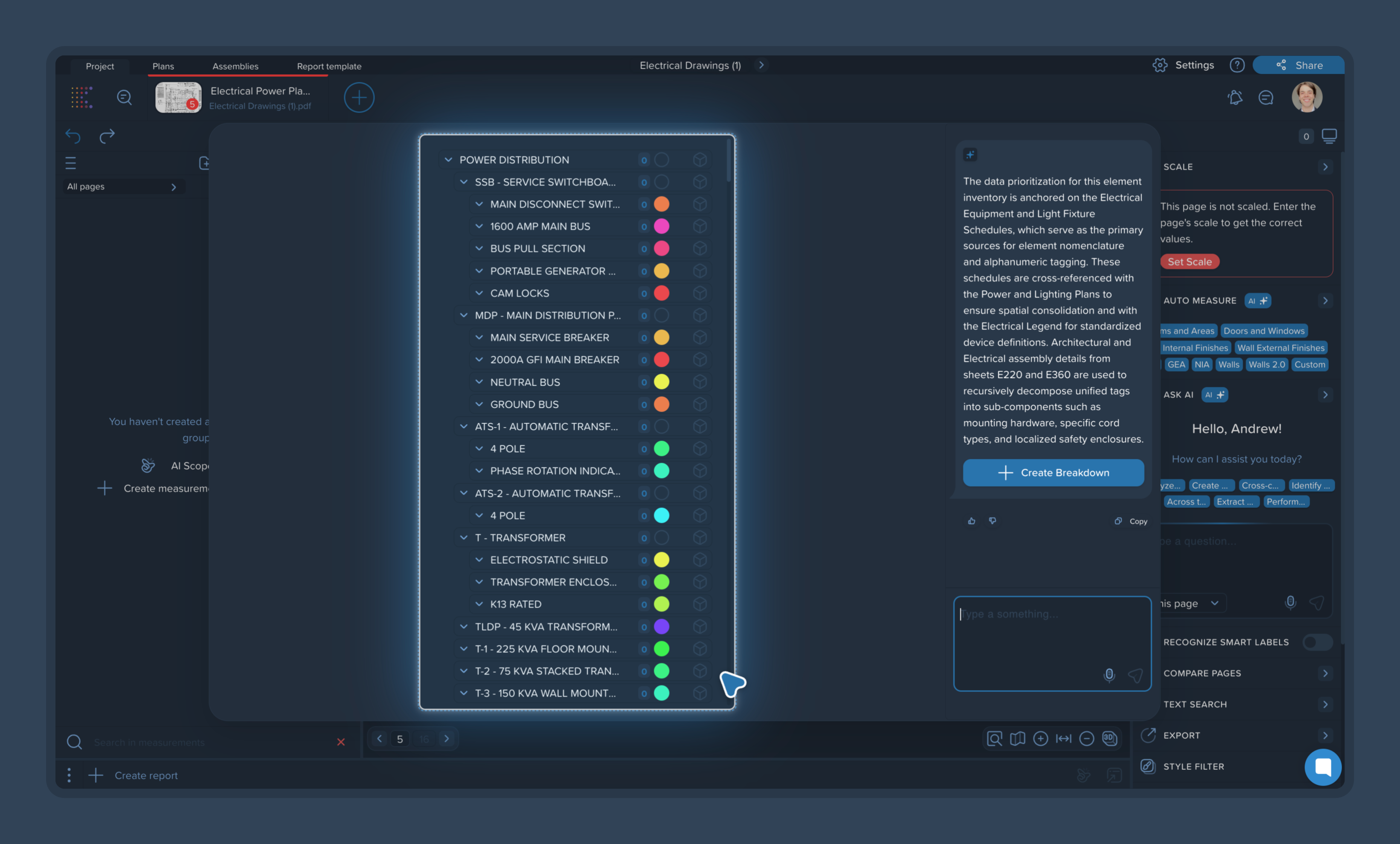
Once the processing is complete, a new panel will appear displaying a structured list of all the items the AI identified.
The AI organizes these items into logical groups and nested subgroups (e.g., separating lighting fixtures from power distribution equipment), mimicking a standard project scope.
3. Refine the Scope with Prompts (Optional)
If the generated list includes items outside your specific trade or scope of work, you can refine it using the chat box at the bottom of the panel.
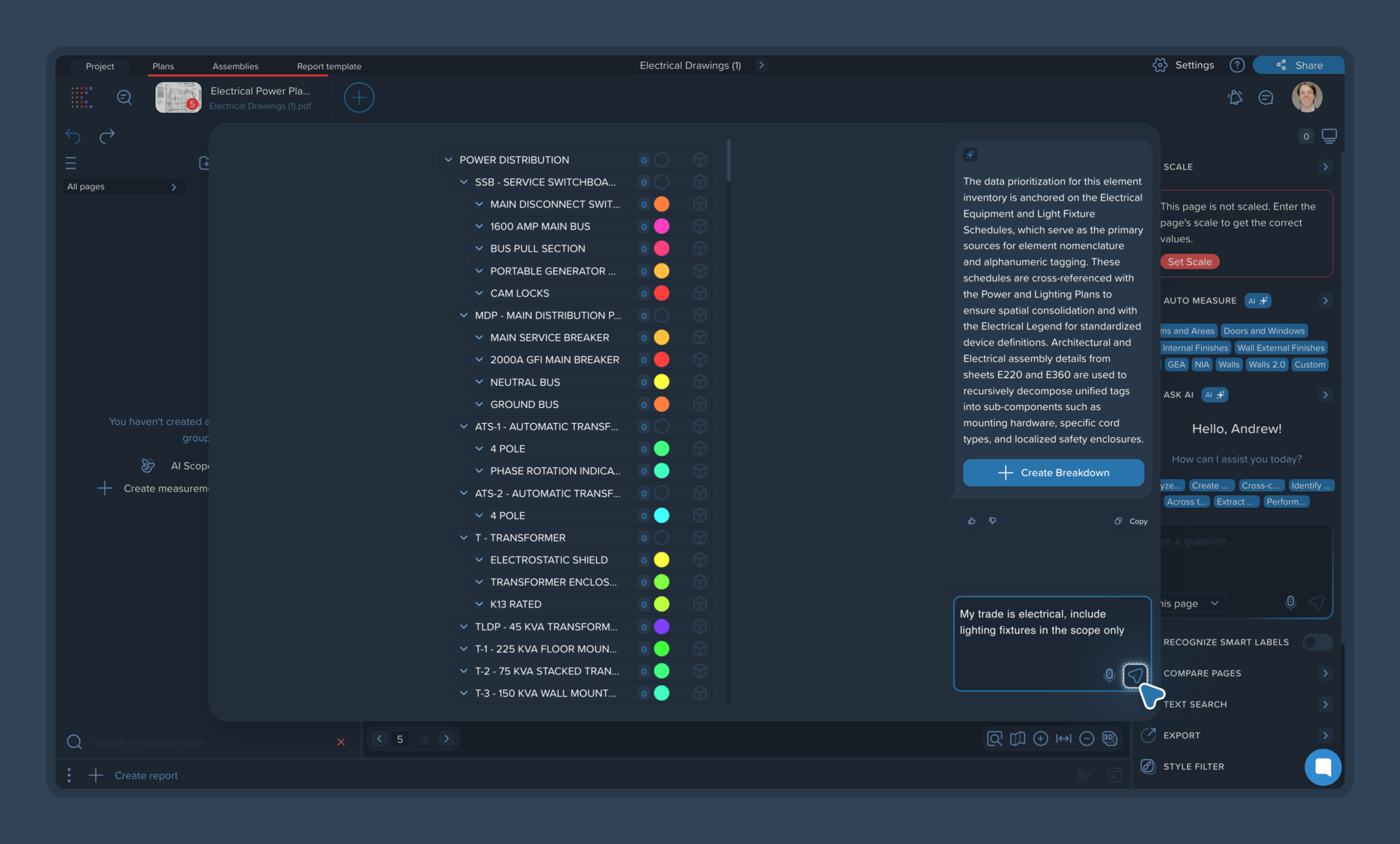
You can type a specific request, such as: "My trade is electrical, include lighting fixtures in the scope only." You can also use the voice dictation feature to input your prompt.
Once sent, the AI will re-evaluate the original list and filter it down to match your specific instructions, leaving only the relevant groups.
4. Create the Measurement Groups
Once you are satisfied with the breakdown, click the blue Create Breakdown button.
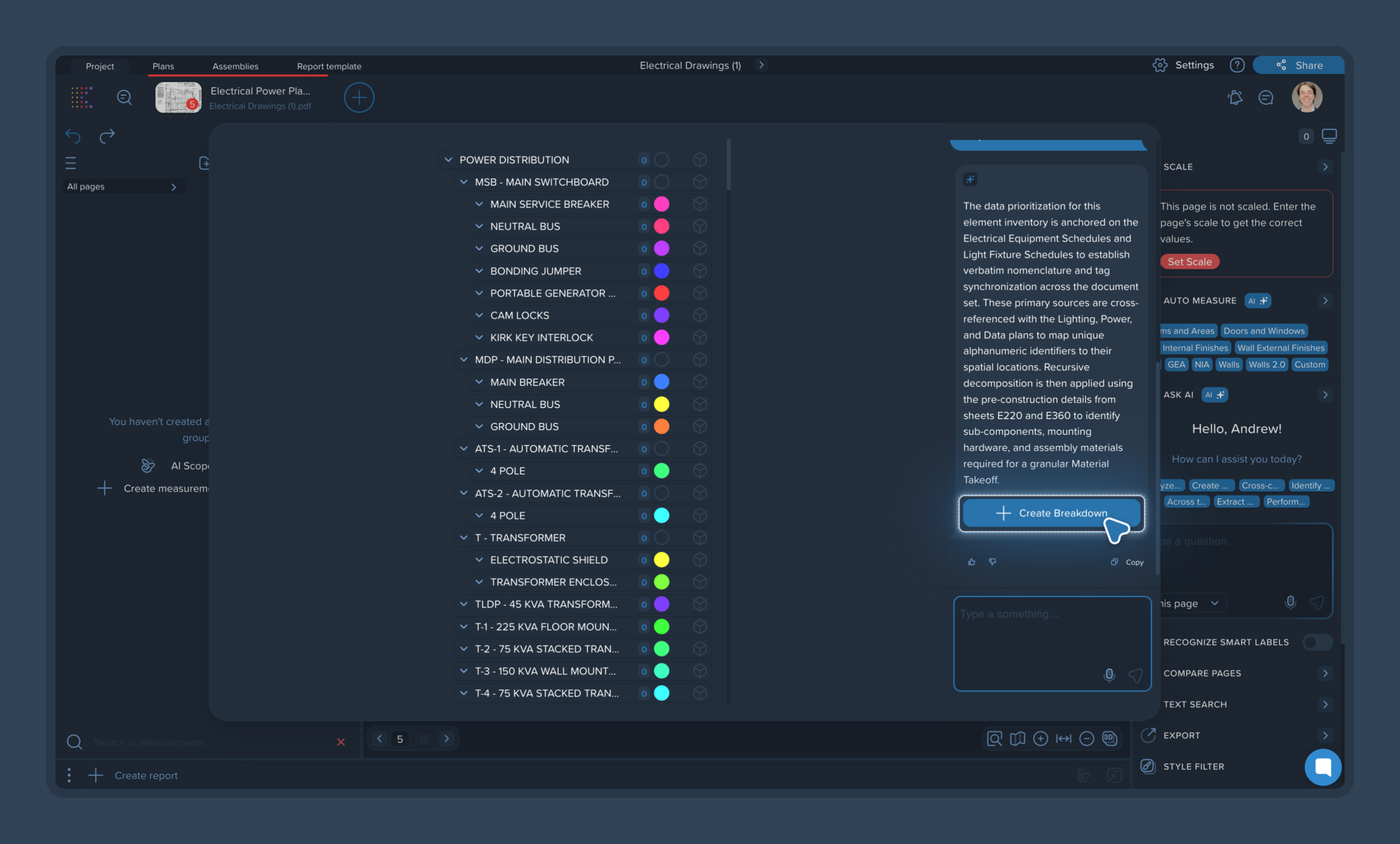
The AI Scope Builder will automatically populate your left-side panel with all the approved groups and subgroups. Each group will be pre-assigned a unique color, ready for you to start your takeoff measurements.