

Skills are AI workflows: sequences of tasks you describe once, and Caddie — the AI agent in Kreo — runs them for you. Any process you repeat in your projects — finding floor plan pages, classifying measurements, building reports — can be turned into a skill and launched in a couple of clicks.
How a skill differs from a chat request
When you ask Caddie something in the chat, it interprets your request each time — and may do it slightly differently from run to run. A skill removes that variability: it is a fixed instruction that the agent executes the same way every time. That makes skills the right tool for working processes where the output goes into an estimate.
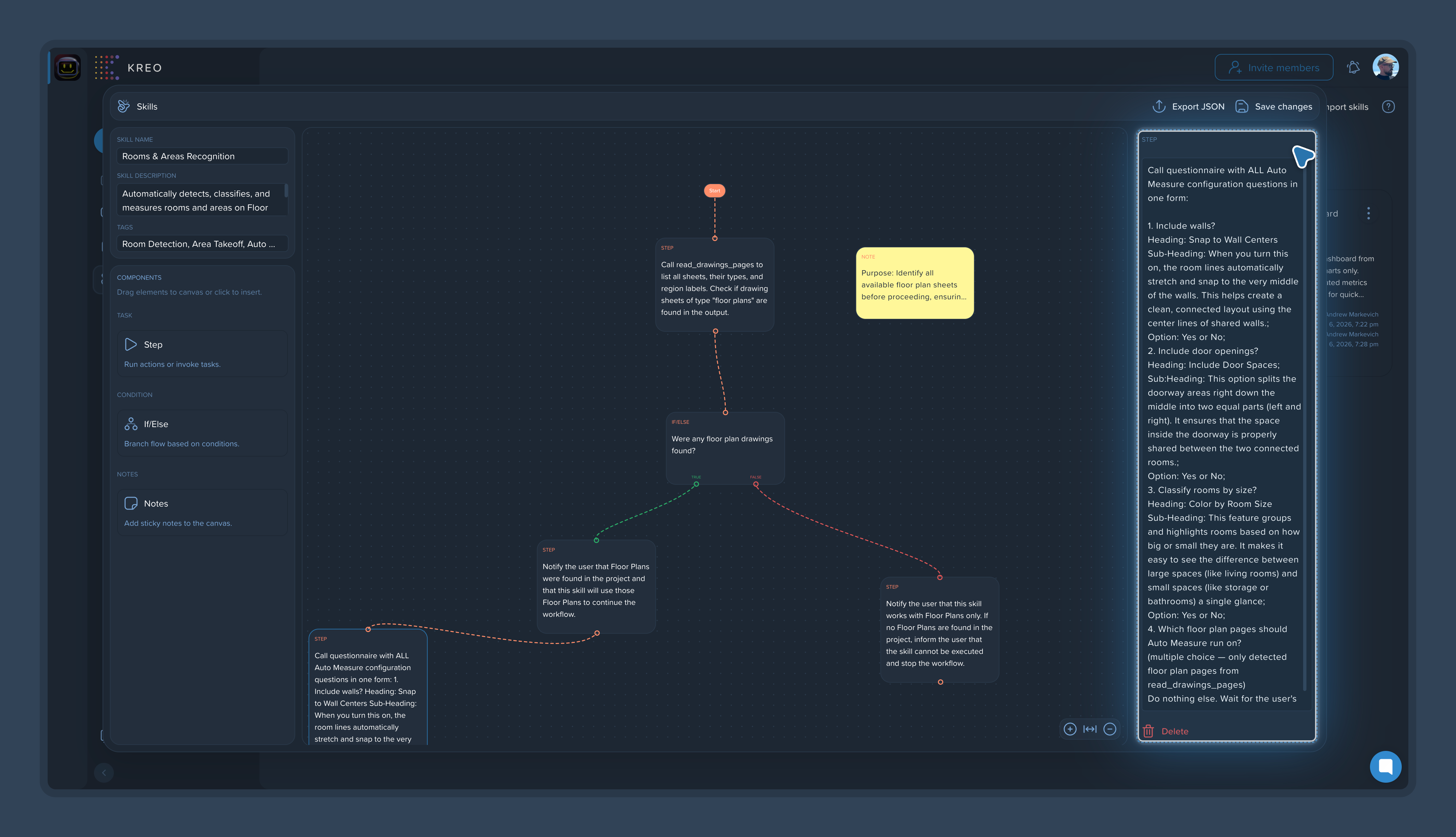
What a skill consists of
Steps. Each step is one task described in plain text: "find all floor plans," "analyze my measurements," "create a report." The agent executes them in order.
If/Else branching. Control points where the agent checks a result before moving on, so an error gets caught at its own step instead of reaching the final report. See Using If/Else Branching for Quality Control.
Notes. Comments inside the skill for teamwork. See Adding Notes to Skills for Team Collaboration.
Name, description, and tags. These make skills easy to find and reuse across projects. See Naming, Describing, and Tagging Skills.
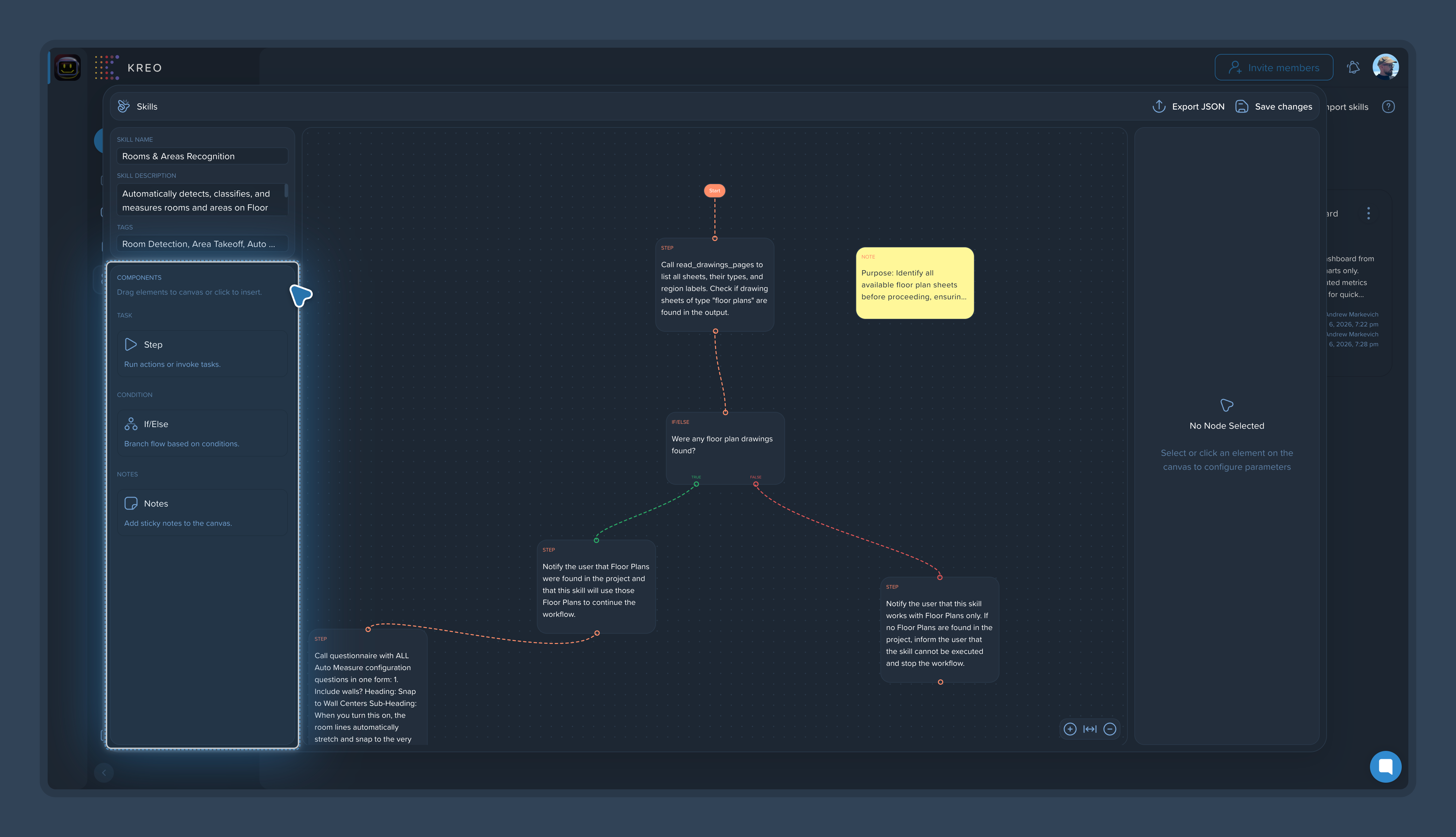
What skills can do
A skill can do anything you do in Kreo by hand:
Search — find pages with floor plans or any other information across the project documentation.
Extract and process data — pull information from pages and pass it down the workflow.
Work with measurements — analyze, classify, group, and rename them by your rules.
Build reports — from the results of previous steps.
There are enough steps in a skill to reproduce a cost estimator's entire workflow — from the first page search to the final report.