
Callouts help your team leave clear comments on specific spots, and they can be included when exporting to PDF.
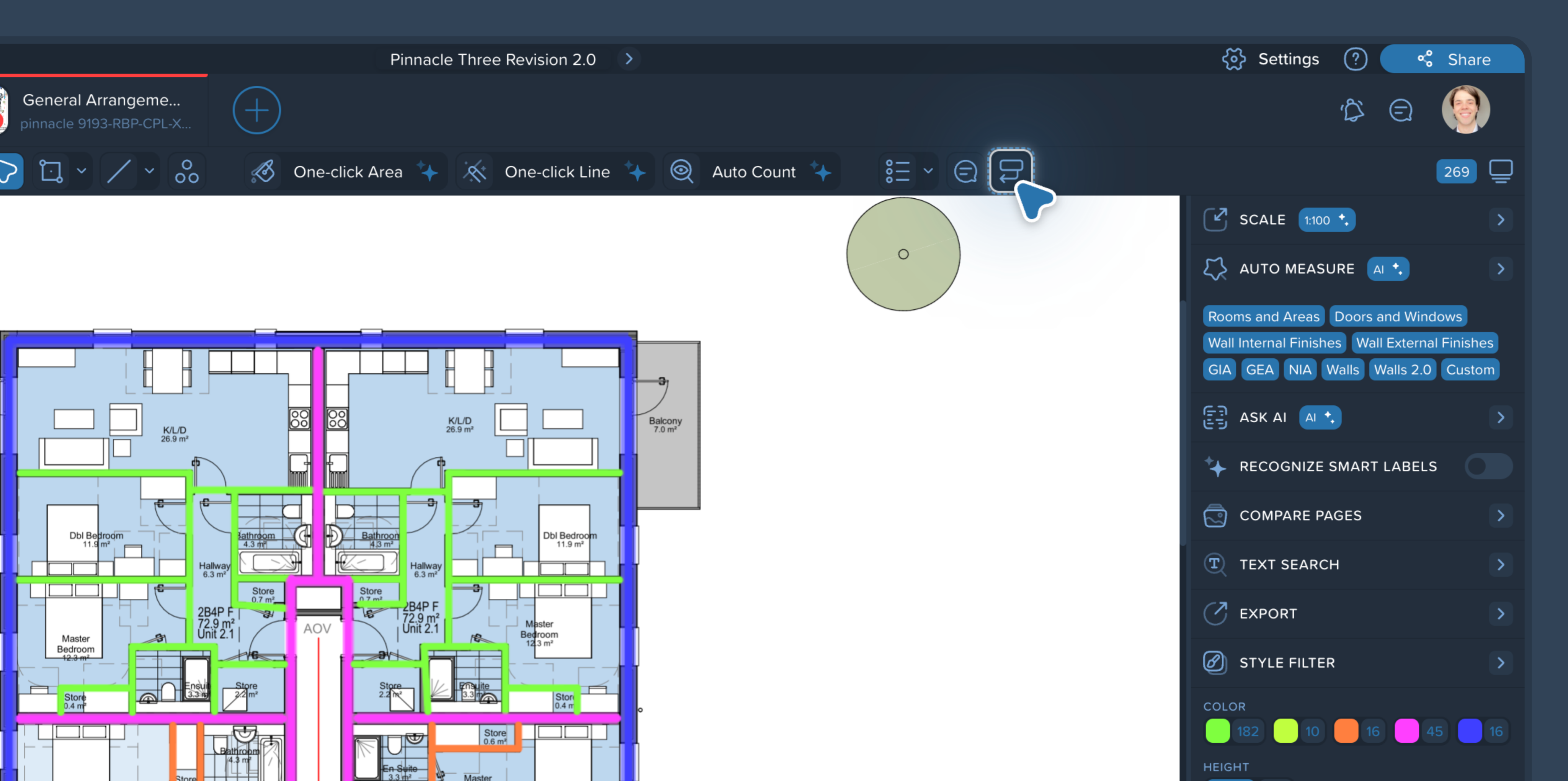
Where to find the Callout tool
Open the Callout tool from the far-right side of the toolbar.
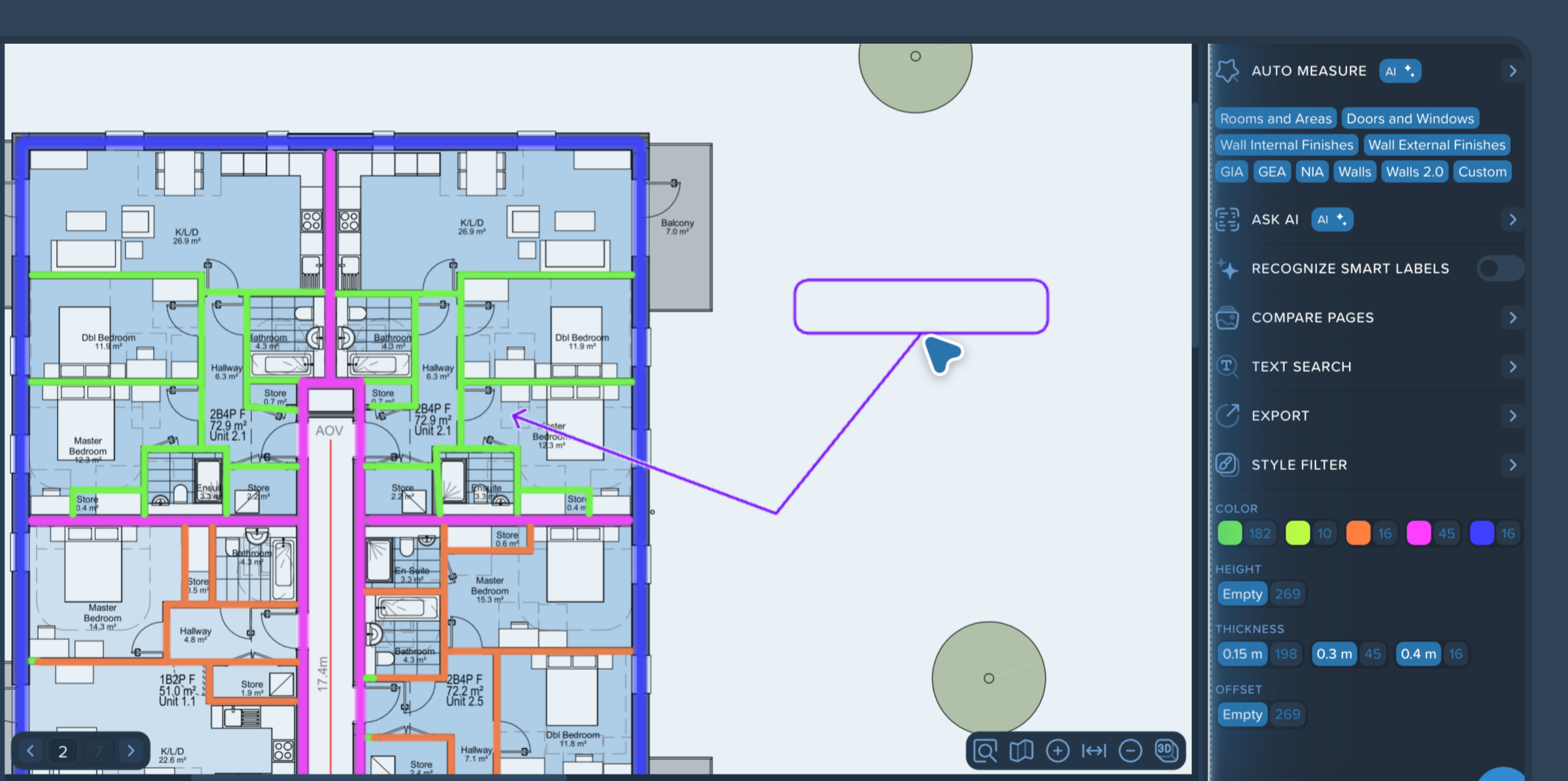
Create a callout
Click in the drawing area to place the callout using three points:
Point 1: the arrow tip (the exact spot you’re pointing to)
Point 2: the elbow (the bend point of the leader line)
Point 3: the note box location
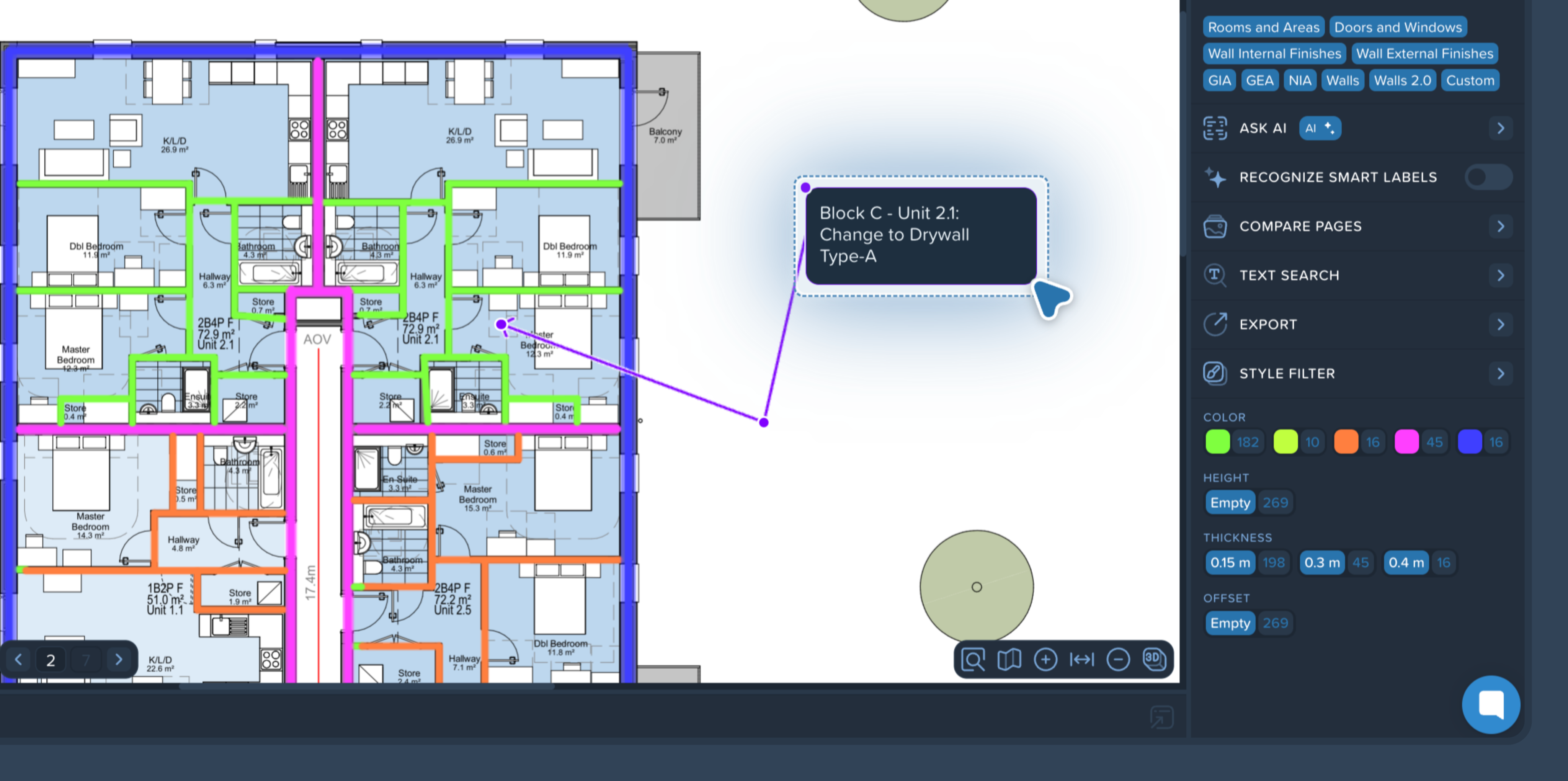
After the note box is placed, the right-side panel opens with the comment/discussion section. Type your note and confirm to save it.
Edit and move a callout
To resize the callout box, drag the purple handles (control points) around the box.
To move the callout, left-click and drag the note box to a new position.
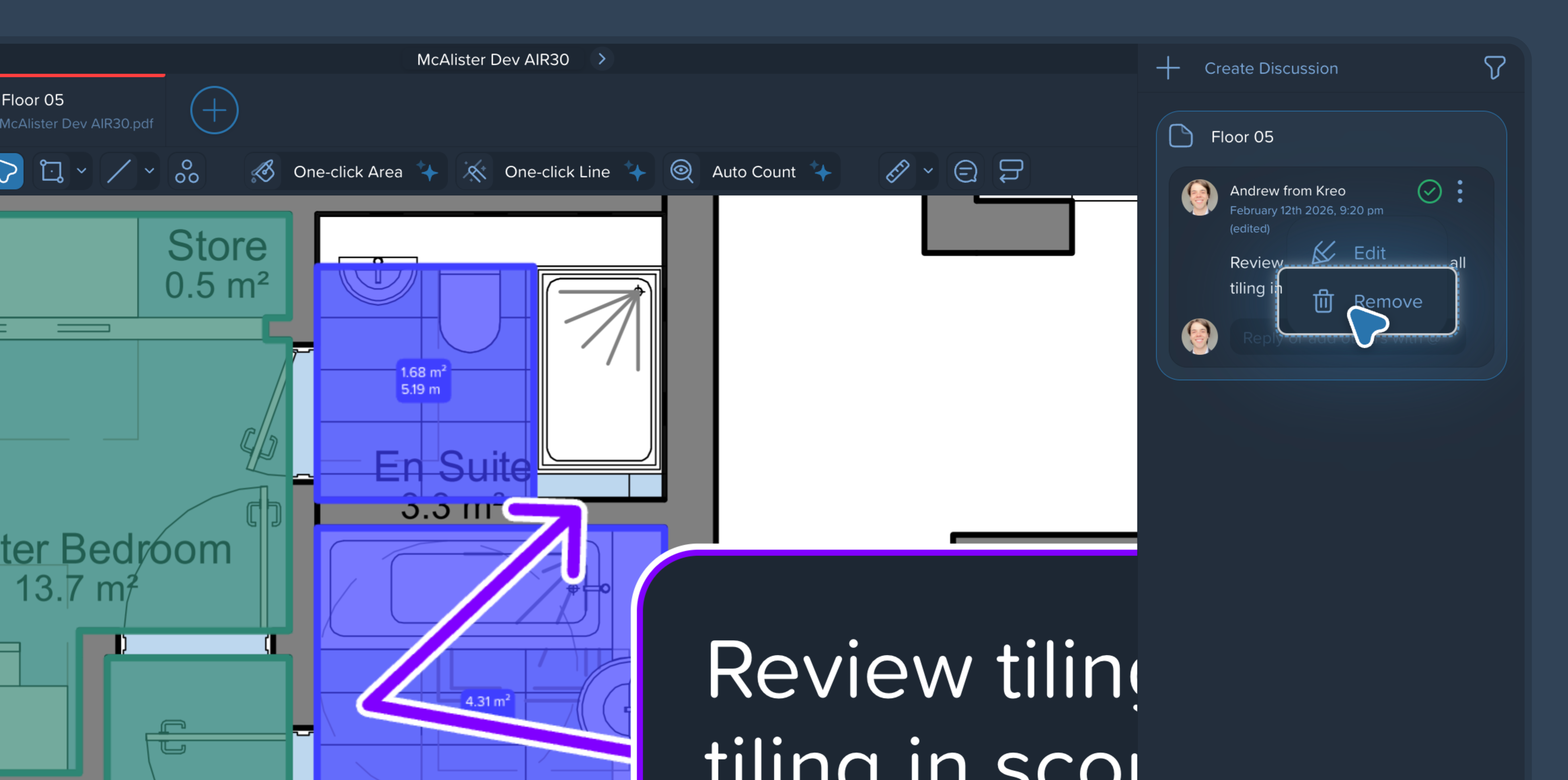
Remove a callout
Click the callout box, then address the respective comment in the Discussion section (right-side panel) to click three-point menu and select Remove to remove the callout.